We have compiled a list of manufacturers, distributors, product information, reference prices, and rankings for Data Editing Software.
ipros is IPROS GMS IPROS One of the largest technical database sites in Japan that collects information on.

Data Editing Software Product List and Ranking from 8 Manufacturers, Suppliers and Companies | IPROS GMS

Last Updated: Aggregation Period:Jul 15, 2026~Aug 11, 2026
This ranking is based on the number of page views on our site.

Data Editing Software Manufacturer, Suppliers and Company Rankings

Last Updated: Aggregation Period:Jul 15, 2026~Aug 11, 2026
This ranking is based on the number of page views on our site.

  1. Aiソリューションズ 本社 Osaka//software
  2. Design Creation Inc. Tokyo//software
  3. マーブル  エンベデッドプロダクト事業本部 プロダクト事業部 Tokyo//IT/Telecommunications
  4. 4 システムクリエイト Osaka//Industrial Machinery
  5. 5 コスモテック Osaka//Testing, Analysis and Measurement

Data Editing Software Product ranking

Last Updated: Aggregation Period:Jul 15, 2026~Aug 11, 2026
This ranking is based on the number of page views on our site.

  1. NC drawing and editing software [CIMCO Edit] Aiソリューションズ 本社
  2. CATIA Data Editing CADPAC 3D Feature Introduction Video Design Creation Inc.
  3. STL Editing Software STL Studio 2 マーブル  エンベデッドプロダクト事業本部 プロダクト事業部
  4. 4 Domestic STL editing software: Simplify STL data with one click! マーブル  エンベデッドプロダクト事業本部 プロダクト事業部
  5. 4 Marsgo Easy CAD! Software "peel.CAD" for peel3 システムクリエイト

Data Editing Software Product List

1~12 item / All 12 items

Displayed results

CATIA Data Editing CADPAC 3D Feature Introduction Video

We will clearly introduce the features of CADPAC 3D through video and audio.

CADPAC 3D can import raw data from many other companies' 3D CAD systems. In this video, we will read CATIA data and model it using CADPAC 3D. In addition to CATIA, most of the 3D CAD data commonly used in the market can be input, so there is no need to purchase the same 3D CAD software as your business partners, which offers excellent cost performance.

  • 3D CAD
  • Data conversion software
  • Data Editing Software

Added to bookmarks

Bookmarks list

Bookmark has been removed

Bookmarks list

You can't add any more bookmarks

By registering as a member, you can increase the number of bookmarks you can save and organize them with labels.

Free membership registration

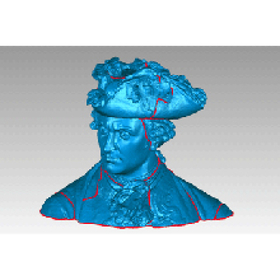
Domestic STL editing software: Simplify STL data with one click!

Simplify large STL data with one click! Smoothing & subdivision

STL files can become extremely large, making them difficult to edit. STL Workshop 2 addresses these issues. (1) Automatic adjustment of parameter values that require expertise (2) User interface compliant with Windows software (3) Efficient display control of large polygon data, incorporating polygon editing algorithms developed by the RIKEN National Research and Development Institute (4) Features tailored to specific industries and sectors ■ For detailed information, please contact us at the following: Marble Inc. Embedded Product Division, Product Business Department Phone: (03) 3419-6011

  • Other information systems
  • Data Editing Software

Added to bookmarks

Bookmarks list

Bookmark has been removed

Bookmarks list

You can't add any more bookmarks

By registering as a member, you can increase the number of bookmarks you can save and organize them with labels.

Free membership registration

Development Case: Software "Neon Blinking Data Creation System"

I will edit the data for the neon blinking and create a ROM.

We provide "ease of use" tailored to each customer's circumstances. In particular, the high level of integration with hardware has received high praise from our customers. 【Development Environment】 ○ PC: DOS/V compatible machine ○ Windows 2000 ○ Development Language: VC++ ○ Peripheral Devices ○ ROM Writer ○ Scanner ○ Digitizer ● For more details, please download the catalog or contact us.

  • Software (middle, driver, security, etc.)
  • Data Editing Software

Added to bookmarks

Bookmarks list

Bookmark has been removed

Bookmarks list

You can't add any more bookmarks

By registering as a member, you can increase the number of bookmarks you can save and organize them with labels.

Free membership registration

Easy editing of STL data for 3D printer modeling ★ S-Generator

Easy editing of STL data used in 3D printing to your desired shape! Contract services are also available! ★ Case study collection for problem-solving is being offered! ★

★For those struggling with editing STL data used in 3D printing and modeling★ 'S-Generator' allows you to correct surface irregularities, unwanted holes, and distorted curves in STL data, as well as reduce the number of triangles, fix duplicates and open edges, and even adjust dimensions and volumes. By editing STL data, you can create beautiful and desired shape data that can be immediately utilized with a 3D printer. We also offer a trial version that allows you to use all features and contract services. Please feel free to contact us! ★Case study collection available★ Please also check the PDF download for more details on other products.

  • Other CAD related software
  • 3D Printer
  • Contract Analysis
  • Data Editing Software

Added to bookmarks

Bookmarks list

Bookmark has been removed

Bookmarks list

You can't add any more bookmarks

By registering as a member, you can increase the number of bookmarks you can save and organize them with labels.

Free membership registration

Marsgo Easy CAD! Software "peel.CAD" for peel3

Easily convert scan data into CAD!! Let me explain the amazing features of the software "peel.CAD" for peel3!

Marsugo is a document that picks up the functions and features of various products and introduces the "amazing!" aspects. This time, we will introduce the software "peel.CAD" for the 3D scanner "peel 3," which has intuitive operability and excellent versatility. The use of 3D scanners is expanding rapidly, including applications such as creating drawings from physical objects and archiving. The data obtained during 3D scanning is composed of point cloud data, which is not numerically controlled, making it difficult to edit. By using "peel.CAD," you can easily modify mesh data and fill holes, and in no time at all, convert it into CAD data with simple operations! After conversion, you can freely edit it using your usual CAD system. The document introduces the workflow after 3D scanning and the operation steps for peel.CAD, so please take a look. *You can download the document using the button below.

  • Other CAD
  • 3D measuring device
  • 3D CAD
  • Data Editing Software

Added to bookmarks

Bookmarks list

Bookmark has been removed

Bookmarks list

You can't add any more bookmarks

By registering as a member, you can increase the number of bookmarks you can save and organize them with labels.

Free membership registration

NC drawing and editing software [CIMCO Edit]

NC editing, drawing, and communication system that can draw FANUC, Heidenhain, and Siemens for 2-axis to 5-axis milling and lathes.

The NC drawing and editing software "CIMCO Edit" allows for smooth reading, drawing, editing, and verification of tool paths even with large NC data. It has a sales record of over 80,000 licenses worldwide and is equipped with basic NC data editing tools and drawing functions. It supports high-speed drawing of FANUC, Heidenhain, Siemens, and ISO codes, with trajectory and solid display for 3-axis paths, and trajectory display for 5-axis paths. It can import CAD models in STL format and overlay them with the trajectory. It can be used as a standalone system or integrated with CAD/CAM as a data verification system.

  • Other CAM related software
  • Data Editing Software

Added to bookmarks

Bookmarks list

Bookmark has been removed

Bookmarks list

You can't add any more bookmarks

By registering as a member, you can increase the number of bookmarks you can save and organize them with labels.

Free membership registration

Easily edit massive 3D datasets for anyone! Multiverse

Supports 3D motion blur! Capable of loading single or sequential USD or Alembic files.

We would like to introduce "Multiverse," which we handle. Anyone can easily playback, layout, look development, lighting, and rendering of extremely large 3D datasets using a non-destructive workflow. File conversion between DCC applications compatible with USD files is possible. During the final rendering, it is processed procedurally. 【Features】 ■ Full support for USD v19.11+ ■ Non-destructive workflow from layout, look development, and layering to compositing ■ Unified rendering workflow ■ USD hierarchy authoring that can be used with a Maya Outliner-like interface ■ Support for writing, compositing, and overwriting USD assets *For more details, please refer to the related links or feel free to contact us.

  • Other image-related equipment
  • Data Editing Software

Added to bookmarks

Bookmarks list

Bookmark has been removed

Bookmarks list

You can't add any more bookmarks

By registering as a member, you can increase the number of bookmarks you can save and organize them with labels.

Free membership registration

XRLite

Easily understandable in 3D! Bringing 3D closer to you! Using iPad to digitize the site.

We offer 'XRLite Editor', which allows for easy loading of 3D CAD data and data obtained from 3D scanners, enabling rapid construction of a Digital Twin environment. It is possible to effectively utilize 3D data to easily create work procedures for equipment maintenance, educational content, and maintenance records. Additionally, the animated display of 3D data makes instructions clearer and reduces the likelihood of operational errors. Furthermore, we support work efficiency through integration with electronic forms such as web pages, PDFs, and i-Reporter. Please feel free to contact us if you have any requests. 【Features】 ■ Annotation ■ Color change ■ Viewpoint movement and object movement ■ Integration with external applications and launching from QR codes Integration with IoT devices is also possible. It can be used similarly to SCADA, so please inquire (customization required).

  • 3D CAD
  • Data Editing Software

Added to bookmarks

Bookmarks list

Bookmark has been removed

Bookmarks list

You can't add any more bookmarks

By registering as a member, you can increase the number of bookmarks you can save and organize them with labels.

Free membership registration

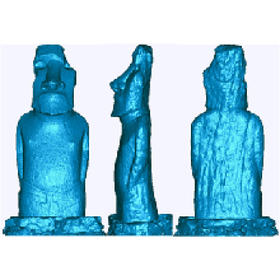
STL Editing Software STL Studio 2

From STL data simplification to CAD conversion! Industry-specific model provision!

STL files can become extremely large, making them difficult to edit. STL Workshop 2 addresses these issues. (1) Automatic adjustment of parameter values that require expertise (2) User interface compliant with Windows software (3) Efficient display control of large polygon data, incorporating polygon editing algorithms developed by the RIKEN National Research and Development Institute (4) Features tailored to specific industries and sectors If you would like detailed materials, please contact us at the information below. Marble Inc. Embedded Product Division, Product Business Department Phone: (03) 3419-6011

Added to bookmarks

Bookmarks list

Bookmark has been removed

Bookmarks list

You can't add any more bookmarks

By registering as a member, you can increase the number of bookmarks you can save and organize them with labels.

Free membership registration

Geomagic Wrap for Educational Institutions

Utilizing 3D scan data as teaching materials. Supporting 3D modeling in educational settings.

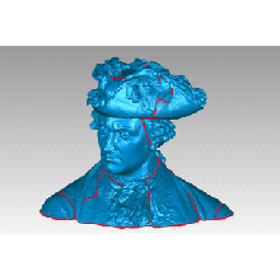
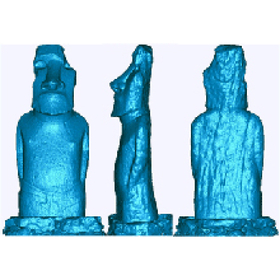
In educational institutions, there is a growing demand for teaching materials that utilize 3D scanning technology. It is important to deepen students' understanding through the creation and modification of 3D models. Geomagic Wrap is ideal for creating teaching materials in educational settings because it allows for easy editing of 3D scan data and mesh data. It enables data modifications beyond the correction software included with 3D scanners. 【Usage Scenarios】 * Modification of 3D scan data * Creation of 3D models * Utilization of 3D data as teaching materials 【Effects of Implementation】 * Improvement of students' 3D modeling skills * Reduction of teaching material creation time * Provision of practical learning opportunities

  • wrap_2.jpg
  • wrap_3.jpg
  • Other CAD related software
  • Image analysis software
  • others
  • Data Editing Software

Added to bookmarks

Bookmarks list

Bookmark has been removed

Bookmarks list

You can't add any more bookmarks

By registering as a member, you can increase the number of bookmarks you can save and organize them with labels.

Free membership registration

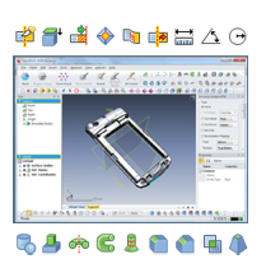
Geomagic Design X for Toy Prototyping

Easily create prototype CAD data for toys from 3D scan data!

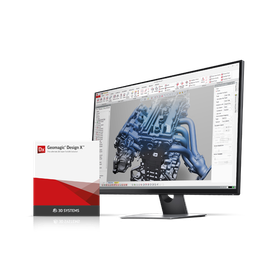
In the toy industry, the prototyping stage requires rapid realization and modification of designs. By creating CAD data from 3D scan data, it is possible to efficiently prototype based on existing toys and design proposals. This shortens the design verification period and accelerates the time to market. Geomagic Design X makes it easier to change and improve toy designs, enhancing the accuracy of prototypes. 【Usage Scenarios】 * 3D digitization of existing toys * Design changes and improvements * Shape verification of prototypes 【Benefits of Implementation】 * Shortened prototyping period * Increased flexibility in design changes * Cost reduction

  • s1.jpg
  • s2.jpg
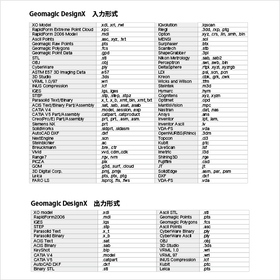
  • designx_format_ipros.jpg
  • 3D measuring device
  • Other CAD related software
  • Image analysis software
  • Data Editing Software

Added to bookmarks

Bookmarks list

Bookmark has been removed

Bookmarks list

You can't add any more bookmarks

By registering as a member, you can increase the number of bookmarks you can save and organize them with labels.

Free membership registration

Geomagic Wrap for Manufacturing Industry

Easily edit 3D scan data. Accelerate reverse engineering.

In reverse engineering within the manufacturing industry, it is essential to digitize existing products and parts into 3D data to facilitate design changes and remanufacturing. Particularly, accurately digitizing products with complex shapes and dimensions for use as CAD data is crucial. Inaccurate data and the complexity of editing can lead to design delays and increased costs. Geomagic Wrap is software that allows for the quick, accurate, and easy conversion of 3D scan data and mesh data. It enables smooth utilization in subsequent processes. 【Usage Scenarios】 - 3D digitization of existing products - Duplication of damaged parts - Data creation for design changes - Mold manufacturing 【Benefits of Implementation】 - Creation of accurate 3D data - Reduction of design time - Cost savings - Effective utilization of existing assets

  • wrap_2.jpg
  • wrap_3.jpg
  • Other CAD related software
  • Image analysis software
  • others
  • Data Editing Software

Added to bookmarks

Bookmarks list

Bookmark has been removed

Bookmarks list

You can't add any more bookmarks

By registering as a member, you can increase the number of bookmarks you can save and organize them with labels.

Free membership registration